Archive for the 'Linux' Category

Taking a specific screenshot in Ubuntu

Are you used to hit print-screen, save the image and start an image editor whenever you want to have a screenshot of a window?
Well, then from now on you can just try to set the desired window as active and hit ALT+Prt Scrn.

No more struggling with repository’s

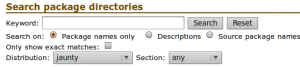
reposearchAs everyone already knows, you should take a backup before changing something in Ubunut/linux.
But as we all forget sometimes, we’re off on a quest to find the standard file.
For example, the /etc/apt/sources.list file is one the most wanted files on the internet.
People tend to add repository’s, change the servers, clean out the unwanted stuff and most of all: break it!
I still remember the horror I brought to myself in the old days…
Now I can always fall back to my .back files ;)

Apparently I wasn’t the only one that noted the load of requests on the forums.
On the simplylinux.ch blog, the admin published a very neat source.list generator for Ubuntu.
It let’s you select not only your county, branch, and other basic repository items, but also includes third-pary repo’s such as Skype and Virtualbox.

I’m sure this tool will prevent a lot of people losing way too much time on searching for the right repository’s.

Jaunty Release-Party Ghent 09/05

I’m glad to announce:

On the 9th of may, there will be a Jaunty release party in Ghent! (free entrance)

First Promo Poster

The goal(s):

  • to provide general information on Ubuntu, Linux & FOSS, and show them you don’t need to be a pro to start using it
  • guiding people trough the sea of alternatives for proprietary software such as MS Office, Live Messenger, Photoshop, Publisher, Windows Media Player, Picture managers,…
  • help people getting Ubuntu installed on their laptop if they bring one along
  • show each-other nice tweaks you’ve got up your sleeves or admire the work of others
  • demo’s on how to use Ubuntu in an efficient way
  • introducing people to the Ubuntu-be LoCo-team! Let them know what we do, how they benefit & help.
  • hand out Ubuntu cd’s Read the rest of this entry »

Running a virtual machine on Ubuntu 9.04

Ever wanted to test something on another platform than the current one you’re on?
Needed to take screenshots of a windows environment  while having a *nix-only network?
Then you might consider running the extra OS as a guest in a virtual machine.

There are lots of different ways to do this on Ubuntu.
You might want to use VMware, Xen, KVM, Iguest, rhyp, UML, qemu, OpenVZ, … catch my drift? ;) Read the rest of this entry »

Google Trends on popular Linux distributions


Google Distro Trends, 2009/04/23

Well, to be honest with you, the idea for article is a straight rip-off from Jeff Waugh’s blog.

But I guess we can go a little further in analyzing this chart. Read the rest of this entry »

How many times did you pay for an unused OS?

When you buy a computer from a know merchant, it comes with a pre-loaded OS (mostly Microsoft’s Windows).
And yes, you pay for it. But “‘what if” you don’t use it? Is it possible to buy a OS-free system? Read the rest of this entry »

Release-Party

I’m organizing a release-party for the Ubuntu-be community @Curieuze Neuze in Ghent.
So far it’s not yet confirmed to go on :(
I’ve got a meeting with Philip (the owner) next Saturday 25/04 to ask him if we can get it happen there, and exchange our expectations.
So far it has been announced on the ubunu-be mailing list, and discussed on #ubuntu-be (freenode).

Interested people can still vote for a date on doodle. Read the rest of this entry »

Guildwars on Ubuntu 9.04

As I was dazzled by how easy it was to install Guildwars on a Ubuntu 8.10, I think it’s worth noting that it is as easy on Ubuntu 9.04.

  • First off, you’ll need to have wine installed. If you don’t, fire up a terminal and hit sudo apt-get install wine
  • Then enter your CD.
  • The computer will note the autorun content on the disc and asks you what to do with it.
    By default, there should be the option to execute it using wine.
  • Hit the OK button.
  • Let it install, and you’re ready to play.

If you don’t have the cd’s you can always follow Christer Edwards’s blogpost.

Jaunty in less than 22 hours!

Less than 22 hours left till the Jaunty (Ubuntu 9.04) release.
If you still don’t know what’s the big deal you should check out the Technical Overview page.
My personal favorites:

  • upgraded gnome-display-properties (better support for dualscreen)
  • faster boottime
  • cloud computing support
  • a neat theme called "New Wave" (The softpedia theme article)