So I’m on an osX system, climbing the vim-curve.
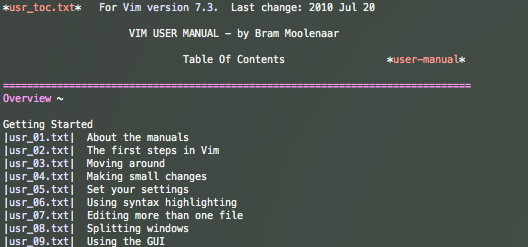
After completing the ever awesome vimtutor, I went on and started to read the :h user-manual
vim user-manual
But once here, there was a problem. The user-manual uses tags to navigate the page.
On a normal machine with a ‘normal’ keyboard, read US-qwerty, you’d press CTRL+] to jump to the corresponding tag.
As I’m on a Belgian azerty macbook pro, which uses the French azerty layout, this did not work out.
CTRL+ALT+SHIFT+) would be the regular approach to get the CTRL+] … but that failed.
Turns out, that this is the right way to jump a tag:
CTRL+$
It’s for getting rid of this shenanigans that I’d choose a US qwerty keyboard on my next laptop.
I’ve treated my eyes on quite some time behind topquality wide colorful computer screens.
Over time, as a return present, they’ve developed some kind of superpower:
Whenever my eyes are in contact with summer-sunlight, I get Ray Charles vision…
As I’m waiting for the piano-playing powers, I decided to be prepared for when that talent kicks in and go buy sunglasses.
Too bad Billy Stickles’ designs are’t for (affordable) sale no more.
So I went for Ray Ban, as it also has some Ray in it.
Don’t be confused here… Ray Ban has absolutely nothing to do with Ray Charles.
Ray Ban makes products that ban sun-rays from your eyes…
I used to know only one kind of sunglasses: That pair of glasses that are darkened to deflect sun.
Turns out they have quite some types.
These are the groups I manage to distinguish now:
Cheap sunglasses ( < 10 euros) : They make everything look dark. Are made of light non-durable plastic and don’t live to see another year.
Expensive sunglasses (50 – 150 euros) : They make everything look dark. There come with excessive branding-powers, have a box fully printed with the finest of marketing farms.
Ultra expensive sunglasses ( 150 – 3500 euros) : They make every product look as good as on the commercials. Come with excessive branding-powers, have a box fully printed with the finest of marketing farms. Give you the power to brag about the price-tag of your eyewear to nearly 99% of the people you’ll encounter while wearing it. Almost all of them have something about airplanes in their descripton. They come with more technical specs than you get when you go out to buy a computer. They make you panic every 2 minutes when you can’t feel/see them where you left them (tshirt, pocket, wherenot…).
I ended up with the third kind.
Yes, this is the bragging part.
I went for the Ray Ban RB8307 aka Ray-Ban® “Aviator™” TECH” and a bunch of letters and numbers…
Ray Ban – RB8307
I did actually buy them because, they were the only sunglasses that fitted my face… (It’s became too fat).
Only by googling it, I found out that a part of it is made of Carbon Fiber…
Why would someone care about Carbon Fiber in his sunglasses? Because regular plastic or rubber is too heavy? What’s next? Silk? Or is that not expensive enough?
One of the options is a polarized lens with anti-reflective technology and a hydro-oleophobic coating…
I have to say, this is the first time I have bought polarized sunglasses… and it’s awesome.
All LCD displays you look at, look like an LSD party on their own.
All the other things look just beautiful, not just darkened.
I learned that the Hydro-oleophobic coat is actually something that my Samsung Galaxy SII and iPhone have as well… they are scared of fat.
To be honest… Never noticed it on any of these products. They all have greasy fingerprints all over them.
Conclusion: They are over-expensive for just a set of sunglasses. But they do whatever I expected them to do… Give my eyes a break whenever the sun gets out.
I think the cheaper polarized models will do the job just as fine. But they didn’t fit me as well as this one.
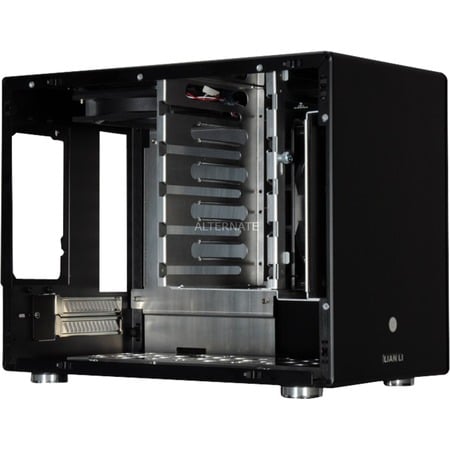
So, I grew tired of going trough all of my external harddisks to find whatever I’m looking for. Prébuild solutions are expensive, use obsolete technology and are limited in capabilities. That’s why I came up with my own build.
It’s not my goal to get the cheapest, but the most expandable solution, both in storage as in ways of functions.
At first, I was thinking of setting up a softraid 5 configuration.
But then I found out about ZFS for linux. So I might try this first.
I’m going to think this over a few times. Will check out other disks, other raid-solutions, an SSD as ZFS Cache etc…
The cool thing is, later, whenever I have a good TV, I can just cram some tv card in there, so I won’t even need to stream all content over the network 🙂
So, quite some time ago I made the mistake of buying the ATI Radeon HD 6870 without first checking if it would play nice with my Ubuntu 10.10 desktop.
Turned out it didn’t 🙁
But now, there are proprietary Linux drivers released by ATI/AMD
First, you should update your system (just to be sure).
The Linux 2.6.38 kernel carries the ATI Radeon HD 6000 open source support. (just fyi!)
If you encounter problems or found this post helpful, it would be nice to leave a comment below.
This way, I can adjust it to the needs of my readers.
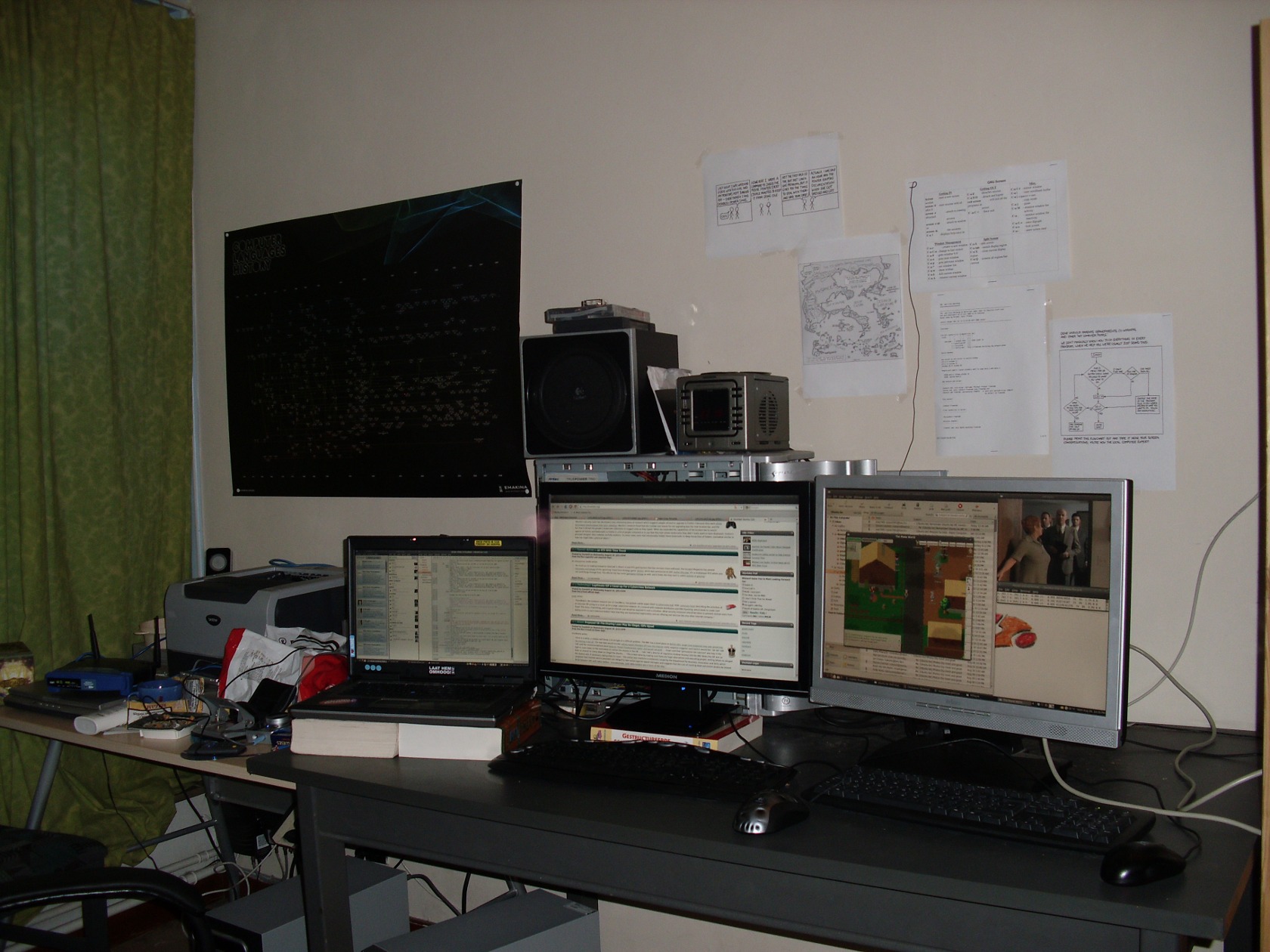
Today, I bought my second 22″ Widescreen (Medion) monitor for only €150.
With its maximum resolution of 1680×1050, contrast of 1000:1 and a 5 ms reaction speed, it makes just a simple yet perfect addition to my desk.
This is one of the devices that just does the trick.
If I had spend 35 Euro more, I could have bought a Full-HD 23″ monitor from samsung… but I just can’t find a purpose for the Full-HD function and the 23″ would denigrate my other (also a 22″) screen.
It’s main purpose will be browsing, coding and a little bit gaming or designing.
I’m proud to present, my new screen (middle) functioning as a second screen for my portable (Dell Latitude D820).
I had to disable Compis Fusion on my laptop so that I could disable screen monitoring on the dual-head.